 NuanPing
A warm, simple home screen for the family TV
NuanPing (“warm screen” in Chinese) is a launcher for Android TVs and set-top boxes. Big text, few choices, and everything works with the remote. Turn on the TV and your favorite app opens by itself.
Free and open source (GPL-3.0). Android 4.4 or newer. F-Droid listing coming soon.
Features
Swipe, or use the arrow keys.
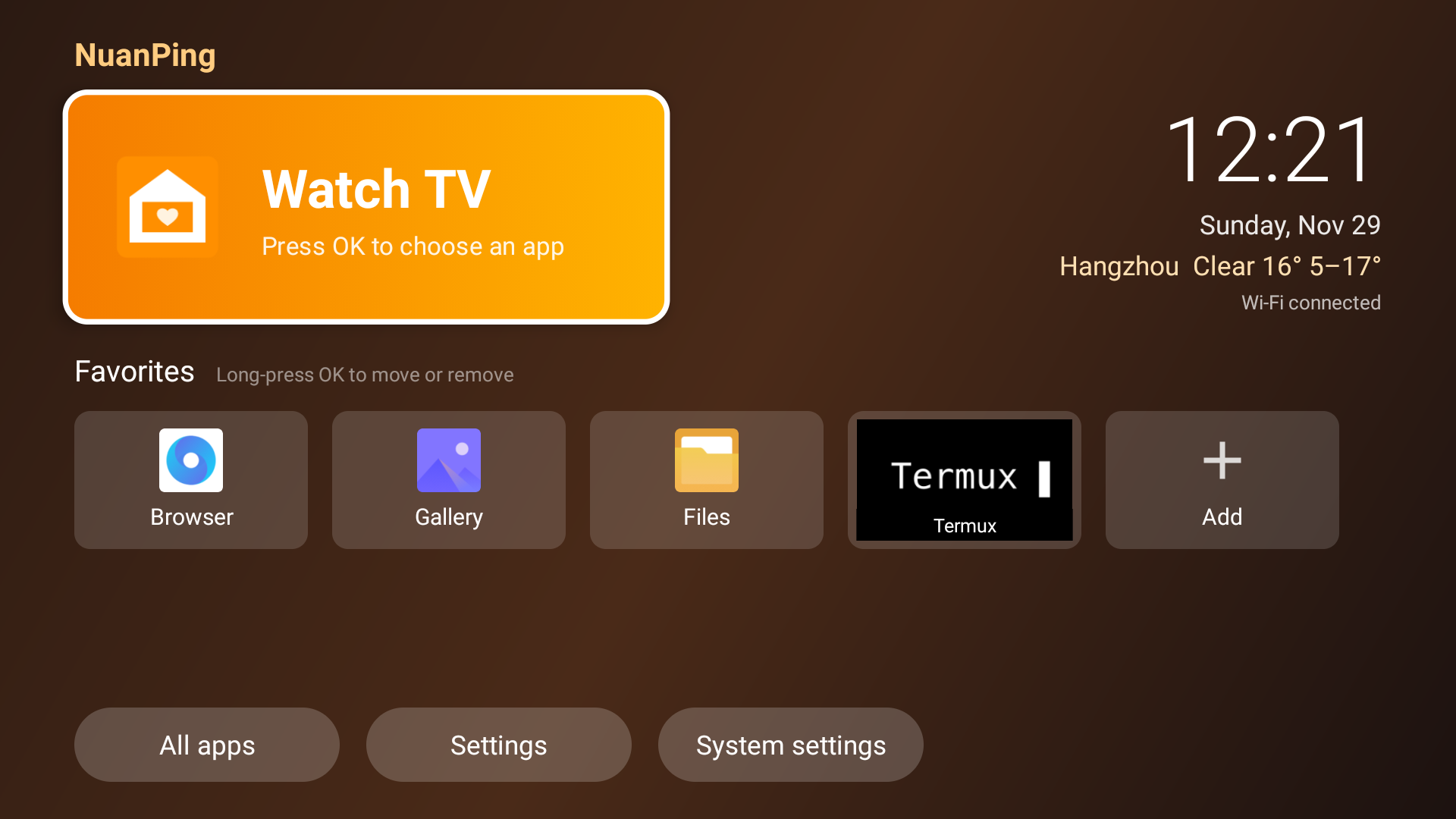
One big card for watching TV
Turn on the TV and press OK to watch. Up to 12 favorite apps, with the time, weather and network status in the corner.
1 / 4
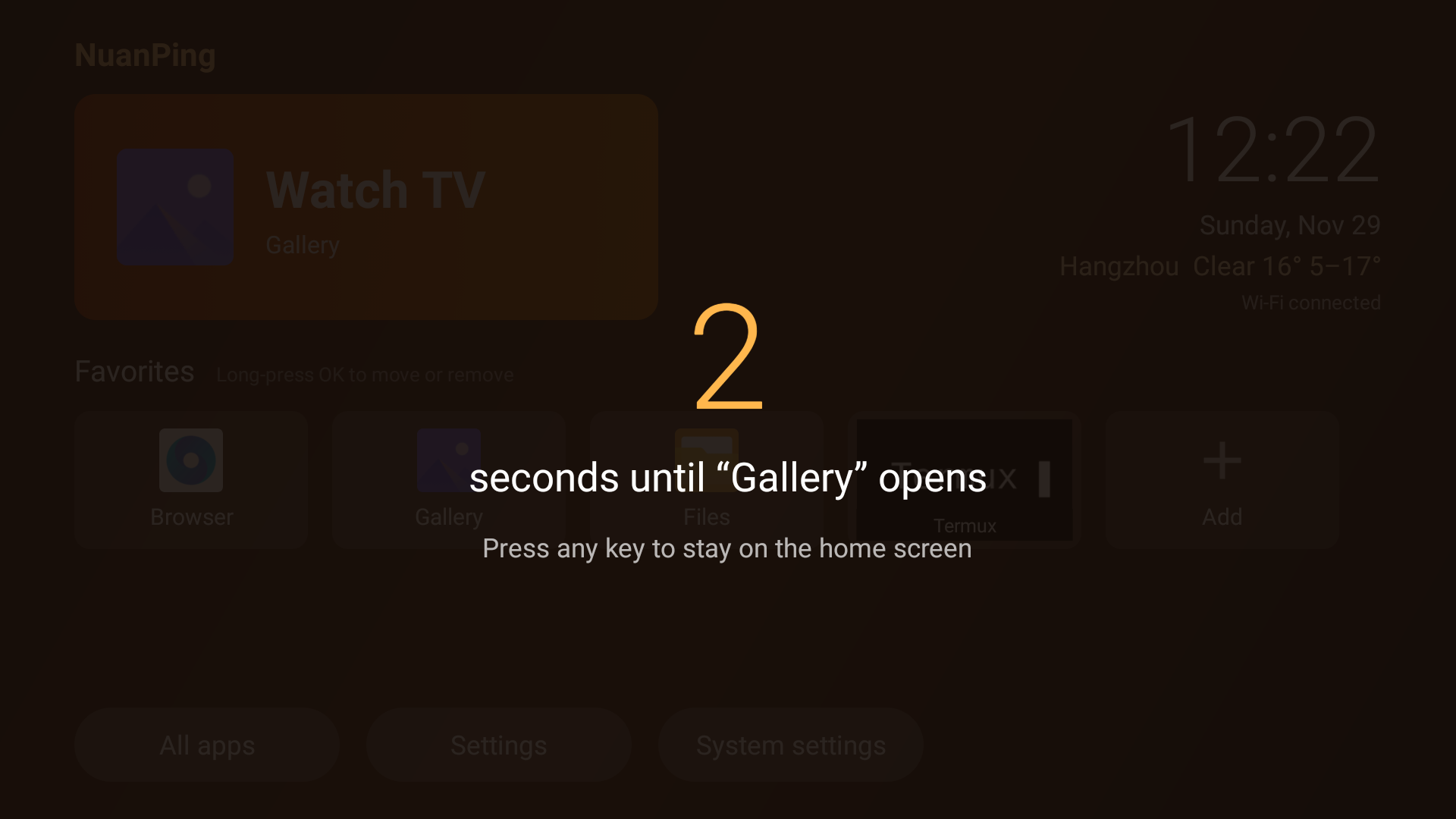
Opens your favorite app at startup
A short countdown, then your app opens. Press any key to stay on the home screen. It runs once per boot, so a crashing app is never relaunched in a loop.
2 / 4
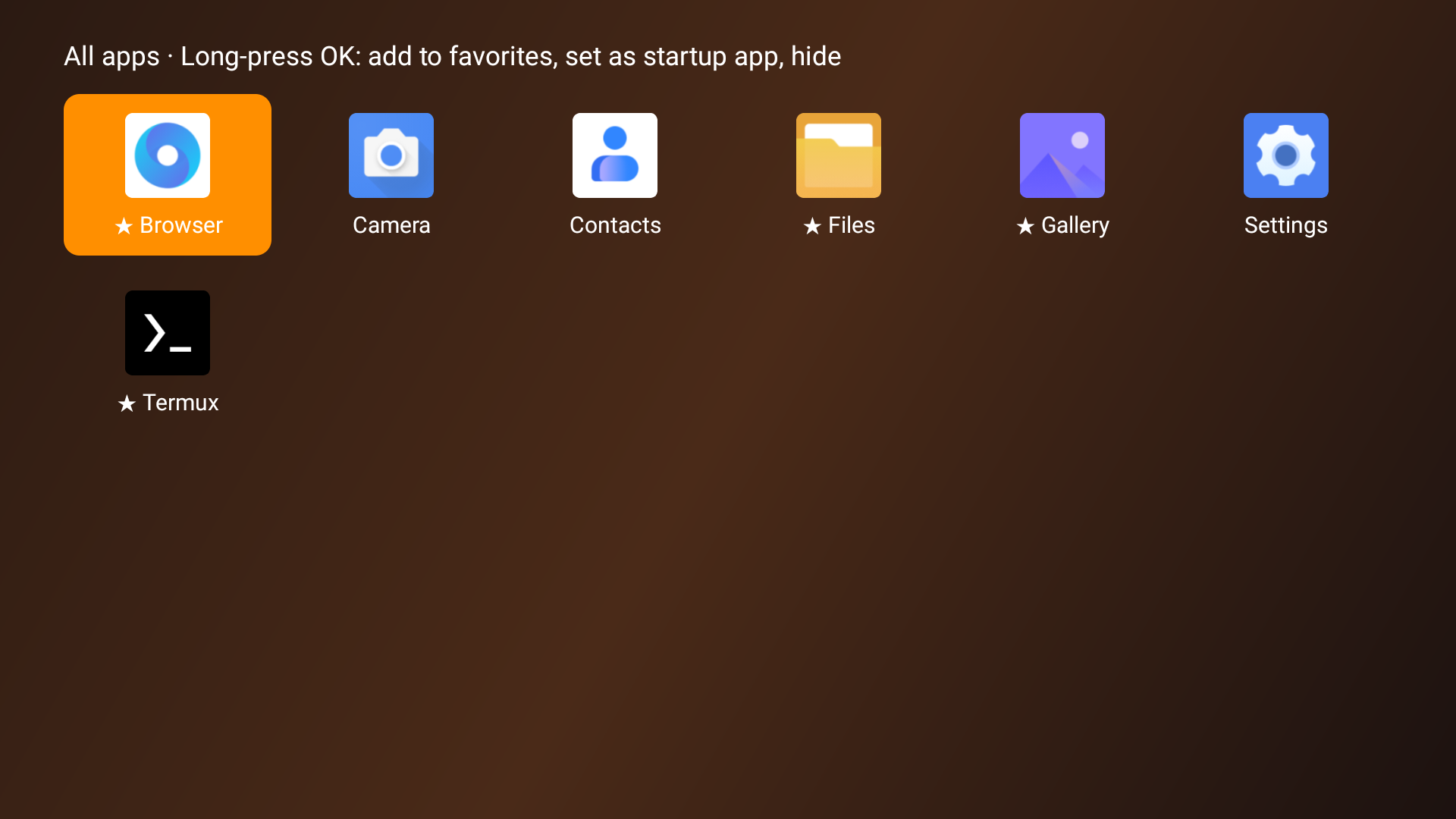
Every app at a glance
A 6-column grid. Long-press OK to add an app to favorites, set it as the startup app, or hide apps you don't use.
3 / 4
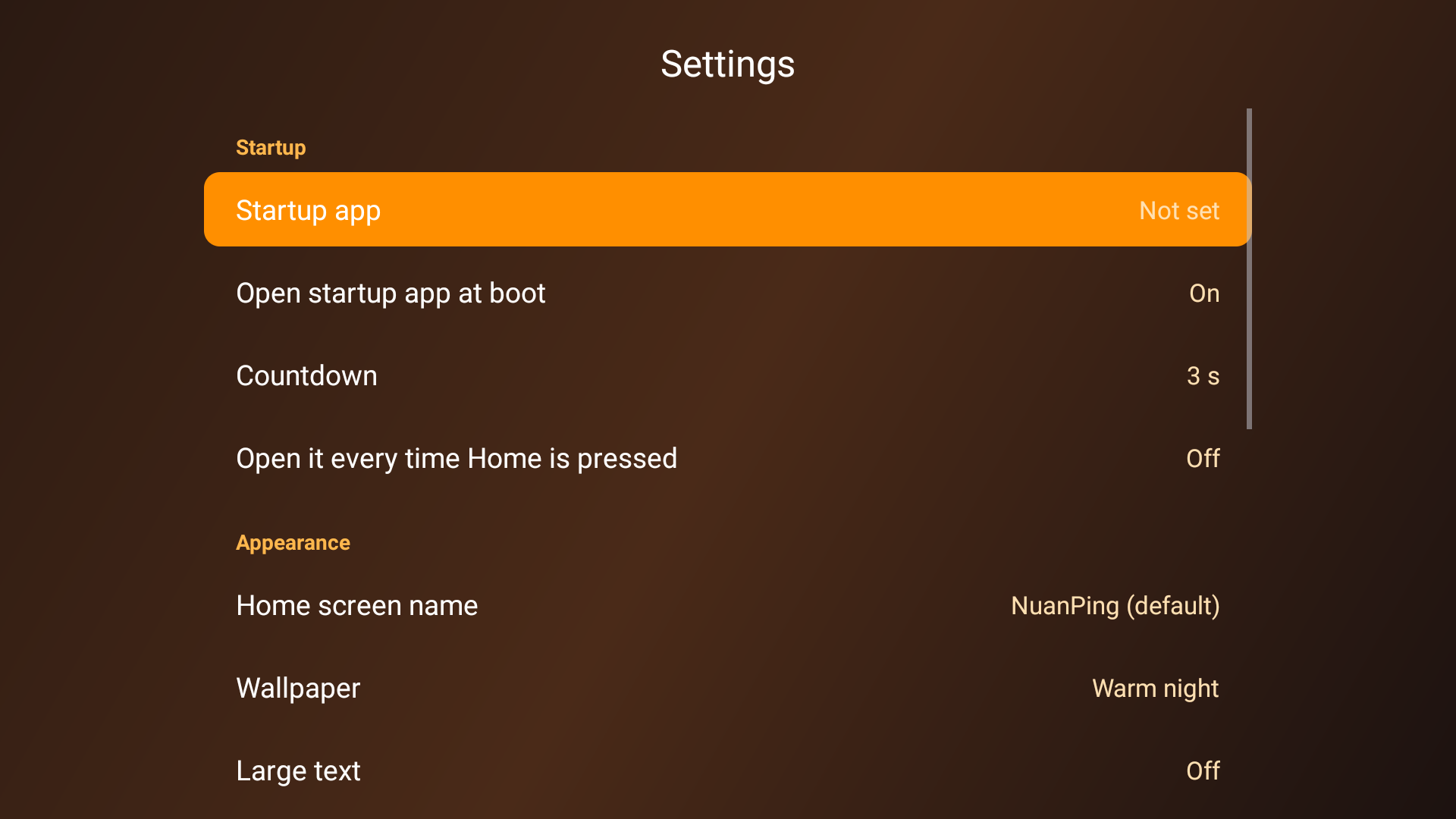
Big text, few options
Settings are grouped into startup, appearance and weather. Turn on large text, change the wallpaper, or rename the home screen.
4 / 4
- Works with the TV remote
- Under 100 KB
- No ads, no tracking, no account
- Android 4.4 or newer
Install
- Download the APK from GitHub Releases and install it on the TV or box (with a USB stick, a file manager, or adb).
- Press Home on the remote, choose NuanPing, then Always. With adb you can also run:
adb shell cmd package set-home-activity com.whyun.nuanping/.HomeActivity - On the home screen, press OK on the big card and pick the app that should open at startup.
Some operator-customized boxes do not allow changing the home app, or switch back after a reboot. To go back to your old home screen, use Settings → “Change default home app”, or uninstall NuanPing.
Privacy
- No ads, no tracking, no accounts, no analytics.
- The network is used only for the optional weather, from Open-Meteo. A city search sends the city name; the weather request sends only the city's coordinates.
- On old devices where HTTPS fails, weather requests fall back to plain HTTP. They contain only the data above.